Readings Newsletter
Become a Readings Member to make your shopping experience even easier.
Sign in or sign up for free!
You’re not far away from qualifying for FREE standard shipping within Australia
You’ve qualified for FREE standard shipping within Australia
The cart is loading…


This title is printed to order. This book may have been self-published. If so, we cannot guarantee the quality of the content. In the main most books will have gone through the editing process however some may not. We therefore suggest that you be aware of this before ordering this book. If in doubt check either the author or publisher’s details as we are unable to accept any returns unless they are faulty. Please contact us if you have any questions.
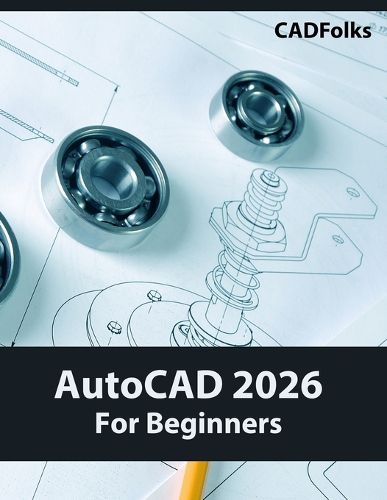
Learn AutoCAD 2026 fundamentals with this practical guide for students, hobbyists, and professionals new to CAD software.
Why AutoCAD 2026
AutoCAD remains the industry standard across architecture, engineering, and manufacturing. This manual transforms beginners into confident users through project-based learning that mirrors workplace applications.
Skills You'll Master
Foundation: Navigate the interface, create geometric shapes, and complete technical drawings.
Intermediate: Use editing tools, dimensioning, and annotations for multi-view mechanical drawings and floor plans.
Advanced: Design staircases, roof structures, building layouts using blocks, templates, and parametric tools.
Professional: Create 3D models, section views, prepare drawing sets for plotting.
Learning Structure
14 progressive chapters with hands-on exercises and industry projects. Complete 25+ real-world drawings covering drawing templates, architectural elements, and professional presentation techniques.
Target Audience
Career changers seeking CAD certification, engineering and architecture students, professionals updating skills, and hobbyists designing personal projects.
Method
Step-by-step instructions, accompanied by visual examples, ensure success regardless of your background. Create portfolio-worthy work while building AutoCAD expertise for career advancement.
$9.00 standard shipping within Australia
FREE standard shipping within Australia for orders over $100.00
Express & International shipping calculated at checkout
Stock availability can be subject to change without notice. We recommend calling the shop or contacting our online team to check availability of low stock items. Please see our Shopping Online page for more details.
This title is printed to order. This book may have been self-published. If so, we cannot guarantee the quality of the content. In the main most books will have gone through the editing process however some may not. We therefore suggest that you be aware of this before ordering this book. If in doubt check either the author or publisher’s details as we are unable to accept any returns unless they are faulty. Please contact us if you have any questions.
Learn AutoCAD 2026 fundamentals with this practical guide for students, hobbyists, and professionals new to CAD software.
Why AutoCAD 2026
AutoCAD remains the industry standard across architecture, engineering, and manufacturing. This manual transforms beginners into confident users through project-based learning that mirrors workplace applications.
Skills You'll Master
Foundation: Navigate the interface, create geometric shapes, and complete technical drawings.
Intermediate: Use editing tools, dimensioning, and annotations for multi-view mechanical drawings and floor plans.
Advanced: Design staircases, roof structures, building layouts using blocks, templates, and parametric tools.
Professional: Create 3D models, section views, prepare drawing sets for plotting.
Learning Structure
14 progressive chapters with hands-on exercises and industry projects. Complete 25+ real-world drawings covering drawing templates, architectural elements, and professional presentation techniques.
Target Audience
Career changers seeking CAD certification, engineering and architecture students, professionals updating skills, and hobbyists designing personal projects.
Method
Step-by-step instructions, accompanied by visual examples, ensure success regardless of your background. Create portfolio-worthy work while building AutoCAD expertise for career advancement.
Search our extensive online catalogue.