Readings Newsletter
Become a Readings Member to make your shopping experience even easier.
Sign in or sign up for free!
You’re not far away from qualifying for FREE standard shipping within Australia
You’ve qualified for FREE standard shipping within Australia
The cart is loading…


This title is printed to order. This book may have been self-published. If so, we cannot guarantee the quality of the content. In the main most books will have gone through the editing process however some may not. We therefore suggest that you be aware of this before ordering this book. If in doubt check either the author or publisher’s details as we are unable to accept any returns unless they are faulty. Please contact us if you have any questions.
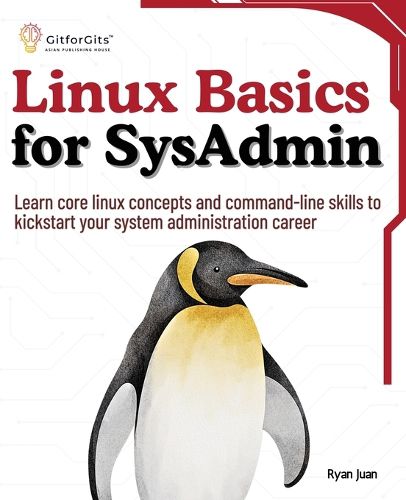
For students, aspiring IT specialists, and working professionals, "Linux Basics for SysAdmin" is a great starting point for learning the fundamentals of Linux, including the command line and all the tools and commands needed to manage enterprise systems.
At first, you are introduced to the Linux environment, with a focus on browsing the filesystem, using basic commands, managing files and directories, and becoming acquainted with the shell. You'll also learn about package management and how to handle system startup and shutdown efficiently. After that, you'll learn all about system configuration files, 'systemd' for managing system services, crontab for job scheduling, and 'at' and 'batch' for automating processes.
Afterwards, the book delves into topics such as dependency management, system hardware configuration, kernel upgrades, and device driver management, as well as package management with 'apt' and 'yum'. You'll also learn how to create and manage repositories, and install and setup virtual machines with VirtualBox. In the end, the book covers a wide range of topics, including creating and managing user accounts, editing user profiles, setting ownership and permissions for files, using ACLs, managing user sessions, configuring sudo for administrative tasks, implementing password policies, working with PAM, and managing group memberships.
Key Learnings
Master essential Linux commands to efficiently navigate and manage the system's file structure. Learn to configure and manage system services with 'systemd' for streamlined service administration. Set up and manage virtual machines with VirtualBox to create isolated, reproducible development environments. Use Access Control Lists (ACLs) to fine-tune file permissions beyond the standard Unix model. Schedule and automate tasks using 'cron', 'at', and 'batch' to improve system efficiency and reliability.
$9.00 standard shipping within Australia
FREE standard shipping within Australia for orders over $100.00
Express & International shipping calculated at checkout
Stock availability can be subject to change without notice. We recommend calling the shop or contacting our online team to check availability of low stock items. Please see our Shopping Online page for more details.
This title is printed to order. This book may have been self-published. If so, we cannot guarantee the quality of the content. In the main most books will have gone through the editing process however some may not. We therefore suggest that you be aware of this before ordering this book. If in doubt check either the author or publisher’s details as we are unable to accept any returns unless they are faulty. Please contact us if you have any questions.
For students, aspiring IT specialists, and working professionals, "Linux Basics for SysAdmin" is a great starting point for learning the fundamentals of Linux, including the command line and all the tools and commands needed to manage enterprise systems.
At first, you are introduced to the Linux environment, with a focus on browsing the filesystem, using basic commands, managing files and directories, and becoming acquainted with the shell. You'll also learn about package management and how to handle system startup and shutdown efficiently. After that, you'll learn all about system configuration files, 'systemd' for managing system services, crontab for job scheduling, and 'at' and 'batch' for automating processes.
Afterwards, the book delves into topics such as dependency management, system hardware configuration, kernel upgrades, and device driver management, as well as package management with 'apt' and 'yum'. You'll also learn how to create and manage repositories, and install and setup virtual machines with VirtualBox. In the end, the book covers a wide range of topics, including creating and managing user accounts, editing user profiles, setting ownership and permissions for files, using ACLs, managing user sessions, configuring sudo for administrative tasks, implementing password policies, working with PAM, and managing group memberships.
Key Learnings
Master essential Linux commands to efficiently navigate and manage the system's file structure. Learn to configure and manage system services with 'systemd' for streamlined service administration. Set up and manage virtual machines with VirtualBox to create isolated, reproducible development environments. Use Access Control Lists (ACLs) to fine-tune file permissions beyond the standard Unix model. Schedule and automate tasks using 'cron', 'at', and 'batch' to improve system efficiency and reliability.
Search our extensive online catalogue.