Readings Newsletter
Become a Readings Member to make your shopping experience even easier.
Sign in or sign up for free!
You’re not far away from qualifying for FREE standard shipping within Australia
You’ve qualified for FREE standard shipping within Australia
The cart is loading…


This title is printed to order. This book may have been self-published. If so, we cannot guarantee the quality of the content. In the main most books will have gone through the editing process however some may not. We therefore suggest that you be aware of this before ordering this book. If in doubt check either the author or publisher’s details as we are unable to accept any returns unless they are faulty. Please contact us if you have any questions.
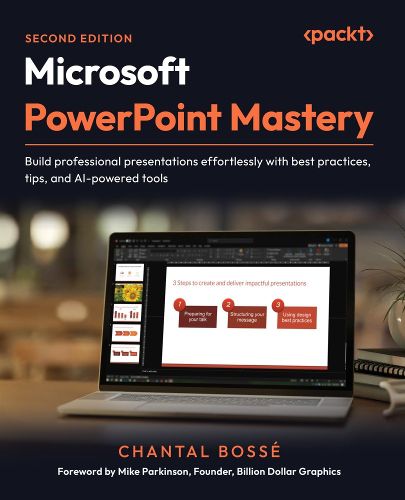
Launch decks with Copilot, refine visuals with Designer, rehearse with Speaker Coach, and deliver with PowerPoint Live to create polished PowerPoint presentations
Free with your book: PDF Copy, AI Assistant, and Next-Gen Reader
Key Features
Design dynamic, engaging presentations with purposeful transitions, navigation, and interactive elements Save time and streamline workflows using Slide Master, Handout Master, Designer, and Copilot Bring your ideas to life with stunning visuals using SmartArt, images, multimedia, and AI tools
Book DescriptionIf you've ever spent hours crafting slides that still feel uninspired, you're not alone. This book shows you how to tap into PowerPoint's true potential to transform ordinary decks into presentations that connect, persuade, and stick. This second edition is updated with a full chapter on using Microsoft Copilot to jump-start new presentations and expands coverage of AI-powered design tools like Designer. It introduces new ways to convert text into SmartArt, customize PowerPoint's stock images, and integrate third-party add-ins. You'll also explore richer multimedia options, purposeful transitions and navigation, and enhanced delivery tools, such as Speaker Coach and the latest PowerPoint Live features, including polls, Q&A, avatars, and immersive spaces, for more engaging virtual presentations. You'll discover how to speed up slide creation, elevate visuals, and structure your decks for maximum clarity and impact. Real-world examples throughout ensure you can apply these features immediately. By the end of this book, you'll have the skills, confidence, and workflow to create professional presentations that flow seamlessly and leave a lasting impression, all while saving time and working smarter.What you will learn
Plan and structure content for maximum audience impact Use PowerPoint's Masters to create consistent, professional slides and documents Leverage advanced animations and Morph transitions for smooth flow Add interactivity with Zoom, hyperlinks, and custom menus Practice and perfect your delivery with PowerPoint's built-in tools Enhance audience engagement by using Presenter View features Deliver seamless virtual presentations with PowerPoint Live
Who this book is forThis book is for business professionals who want actionable best practices and smarter ways to get the most out of PowerPoint's features to create and deliver compelling presentations. No formal presentation design knowledge is needed, but you do need to know PowerPoint's basic tools and functions, such as starting and saving files, adding, copying, pasting, or moving slides. A sound understanding of cloud storage and the use of Office 365 is also needed.
$9.00 standard shipping within Australia
FREE standard shipping within Australia for orders over $100.00
Express & International shipping calculated at checkout
Stock availability can be subject to change without notice. We recommend calling the shop or contacting our online team to check availability of low stock items. Please see our Shopping Online page for more details.
This title is printed to order. This book may have been self-published. If so, we cannot guarantee the quality of the content. In the main most books will have gone through the editing process however some may not. We therefore suggest that you be aware of this before ordering this book. If in doubt check either the author or publisher’s details as we are unable to accept any returns unless they are faulty. Please contact us if you have any questions.
Launch decks with Copilot, refine visuals with Designer, rehearse with Speaker Coach, and deliver with PowerPoint Live to create polished PowerPoint presentations
Free with your book: PDF Copy, AI Assistant, and Next-Gen Reader
Key Features
Design dynamic, engaging presentations with purposeful transitions, navigation, and interactive elements Save time and streamline workflows using Slide Master, Handout Master, Designer, and Copilot Bring your ideas to life with stunning visuals using SmartArt, images, multimedia, and AI tools
Book DescriptionIf you've ever spent hours crafting slides that still feel uninspired, you're not alone. This book shows you how to tap into PowerPoint's true potential to transform ordinary decks into presentations that connect, persuade, and stick. This second edition is updated with a full chapter on using Microsoft Copilot to jump-start new presentations and expands coverage of AI-powered design tools like Designer. It introduces new ways to convert text into SmartArt, customize PowerPoint's stock images, and integrate third-party add-ins. You'll also explore richer multimedia options, purposeful transitions and navigation, and enhanced delivery tools, such as Speaker Coach and the latest PowerPoint Live features, including polls, Q&A, avatars, and immersive spaces, for more engaging virtual presentations. You'll discover how to speed up slide creation, elevate visuals, and structure your decks for maximum clarity and impact. Real-world examples throughout ensure you can apply these features immediately. By the end of this book, you'll have the skills, confidence, and workflow to create professional presentations that flow seamlessly and leave a lasting impression, all while saving time and working smarter.What you will learn
Plan and structure content for maximum audience impact Use PowerPoint's Masters to create consistent, professional slides and documents Leverage advanced animations and Morph transitions for smooth flow Add interactivity with Zoom, hyperlinks, and custom menus Practice and perfect your delivery with PowerPoint's built-in tools Enhance audience engagement by using Presenter View features Deliver seamless virtual presentations with PowerPoint Live
Who this book is forThis book is for business professionals who want actionable best practices and smarter ways to get the most out of PowerPoint's features to create and deliver compelling presentations. No formal presentation design knowledge is needed, but you do need to know PowerPoint's basic tools and functions, such as starting and saving files, adding, copying, pasting, or moving slides. A sound understanding of cloud storage and the use of Office 365 is also needed.
Search our extensive online catalogue.