Readings Newsletter
Become a Readings Member to make your shopping experience even easier.
Sign in or sign up for free!
You’re not far away from qualifying for FREE standard shipping within Australia
You’ve qualified for FREE standard shipping within Australia
The cart is loading…


This title is printed to order. This book may have been self-published. If so, we cannot guarantee the quality of the content. In the main most books will have gone through the editing process however some may not. We therefore suggest that you be aware of this before ordering this book. If in doubt check either the author or publisher’s details as we are unable to accept any returns unless they are faulty. Please contact us if you have any questions.
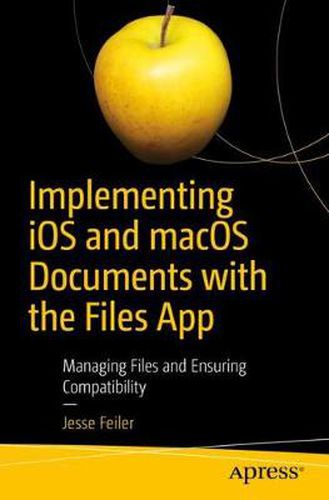
Rise above the basics of Xcode app development to implement tools like Share buttons and activity view controllers to share document content including parts of documents with other users and with other devices. This book fills the gap so that developers with even a fundamental knowledge of iOS and Swift can implement document creation, saving, and sharing in their apps.
Since the launch of iPhone in 2007, users and developers have struggled with the fact that the file system is hidden. Fortunately the Files app in iOS 11 now offers this feature and it is supported by Apple apps such as Numbers, Pages, and Keynote as well as by the few third-party apps that support documents.
By using the standard formats described in this book, you can make your app’s data shareable to and from other apps like Numbers, Pages, and Word. Files also provides an interface to tools such as Dropbox and iCloud so that users can open and modify documents in them. If you combine standard formats such as .doc, .docx, .jpeg, and .jpg with Dropbox and eMail, you have a simple way to implement and use cross-platform sharing to Macs, PCs, and Android devices.
Implementing iOS and macOS Documents with the Files App provides the combination of skills developers need to build these types of apps-working with files and constructing documents. What You’ll Learn
Add Document Support to Your Apps
Share your documents with iCloud and Apple IDs across your Mac and iOS devices
Use standard formats from .doc, .docx, .png, and .jpeg both for input and output
Manage and organize documents
Who This Book Is For Developers with a basic knowledge of app development and Swift. You should already know how to use Xcode to create an app. Knowledge of basic Swift syntax is recommended. The book can also be a useful overview and guide to managers who are trying to decide how to convert legacy document-based systems to apps.
$9.00 standard shipping within Australia
FREE standard shipping within Australia for orders over $100.00
Express & International shipping calculated at checkout
Stock availability can be subject to change without notice. We recommend calling the shop or contacting our online team to check availability of low stock items. Please see our Shopping Online page for more details.
This title is printed to order. This book may have been self-published. If so, we cannot guarantee the quality of the content. In the main most books will have gone through the editing process however some may not. We therefore suggest that you be aware of this before ordering this book. If in doubt check either the author or publisher’s details as we are unable to accept any returns unless they are faulty. Please contact us if you have any questions.
Rise above the basics of Xcode app development to implement tools like Share buttons and activity view controllers to share document content including parts of documents with other users and with other devices. This book fills the gap so that developers with even a fundamental knowledge of iOS and Swift can implement document creation, saving, and sharing in their apps.
Since the launch of iPhone in 2007, users and developers have struggled with the fact that the file system is hidden. Fortunately the Files app in iOS 11 now offers this feature and it is supported by Apple apps such as Numbers, Pages, and Keynote as well as by the few third-party apps that support documents.
By using the standard formats described in this book, you can make your app’s data shareable to and from other apps like Numbers, Pages, and Word. Files also provides an interface to tools such as Dropbox and iCloud so that users can open and modify documents in them. If you combine standard formats such as .doc, .docx, .jpeg, and .jpg with Dropbox and eMail, you have a simple way to implement and use cross-platform sharing to Macs, PCs, and Android devices.
Implementing iOS and macOS Documents with the Files App provides the combination of skills developers need to build these types of apps-working with files and constructing documents. What You’ll Learn
Add Document Support to Your Apps
Share your documents with iCloud and Apple IDs across your Mac and iOS devices
Use standard formats from .doc, .docx, .png, and .jpeg both for input and output
Manage and organize documents
Who This Book Is For Developers with a basic knowledge of app development and Swift. You should already know how to use Xcode to create an app. Knowledge of basic Swift syntax is recommended. The book can also be a useful overview and guide to managers who are trying to decide how to convert legacy document-based systems to apps.
Search our extensive online catalogue.